Introduction
A larger on-screen image does not necessarily reveal more specimen detail. Optical image formation, camera sampling, display size and digital enlargement are different parts of a microscope system. Buyers should evaluate resolved detail and the learning task rather than selecting the largest magnification number on a box.
This matters for educational retailers because a small camera connected to a large screen can produce an impressive apparent enlargement. If the claim omits display conditions or relies mainly on digital scaling, customers may expect details the system cannot resolve. Clear language helps teachers and parents understand what learners can actually observe.
This kids microscope optical vs digital zoom guide supports selection of a kids digital microscope. It proposes image and setup trials, not completed KudBo optical testing. Age suitability, sample handling and destination safety requirements need separate model-specific review. Do not use unknown biological, chemical or hazardous specimens in a purchasing demonstration.
Distinguish Magnification From Resolution
Magnification describes enlargement, while resolution concerns distinguishable detail. Increasing display size or digitally scaling an image can make existing information easier to view without creating new optical detail. These functions can still be useful, but they should not be described as equivalent improvements.
Nikon’s MicroscopyU glossary describes empty magnification as enlargement without additional resolved detail. Its useful-magnification explanation provides optical context. Those resources are not performance reports for a particular children’s camera microscope and should not be used to assign it an unmeasured resolution.
Ask the supplier to state how any magnification figure was derived. Identify optics, working distance, camera, display dimensions and software scaling as relevant. A screen-based value without its display condition is difficult to interpret and may not be comparable with an eyepiece microscope’s nominal magnification.
Review the Microscope Screen Magnification Claim
Determine whether the product has optical adjustment, digital zoom or both. A button labeled zoom may simply enlarge the displayed image. The quotation and instructions should identify its actual role. Do not infer variable optical magnification from a slider in an app.
Ask for the original image and the displayed enlarged version when evaluating a claim. A cropped promotional image can conceal the field of view or blur. Keep the processing steps visible and avoid presenting sharpened or generated detail as raw camera output.
If a numerical magnification statement is required, have competent reviewers assess the method and wording. Do not calculate a universal figure by dividing a large screen width by an uncertain specimen width. The supported claim should preserve its conditions rather than implying the same enlargement on every phone or monitor.
Evaluate Digital Microscope Resolved Detail
Use an appropriate safe reference target and method agreed with suitable expertise. Record focus, working distance, lighting, camera settings and output format. A leaf photograph can illustrate an application, but it is not a calibrated optical resolution test.
Keep the original files and unsuccessful observations. If compression, interpolation or software enhancement is applied, identify it. A processed image may be useful for teaching, but the buyer should know how it differs from the original capture. Do not compare an enhanced supplier image with an unprocessed competitor image without explaining the difference.
Assess the detail needed for the lesson rather than chasing the largest possible number. Viewing a leaf surface, textile or printed pattern can require different lighting and fields of view. The correct instrument is the one that supports the intended observation safely and clearly, not one promising every microscopic application.
Review Educational Microscope Field of View
A smaller field of view can make it harder for a novice to locate the sample or maintain orientation. More apparent enlargement is not always easier learning. Ask how users begin at a useful overview and move to detail within the supported controls.
Observe specimen placement and focus with the approved stand. A handheld arrangement may behave differently from a stable mounted arrangement. Do not use a perfectly steady promotional capture to imply that every child can reproduce the image without assistance. Record the support and workflow used.
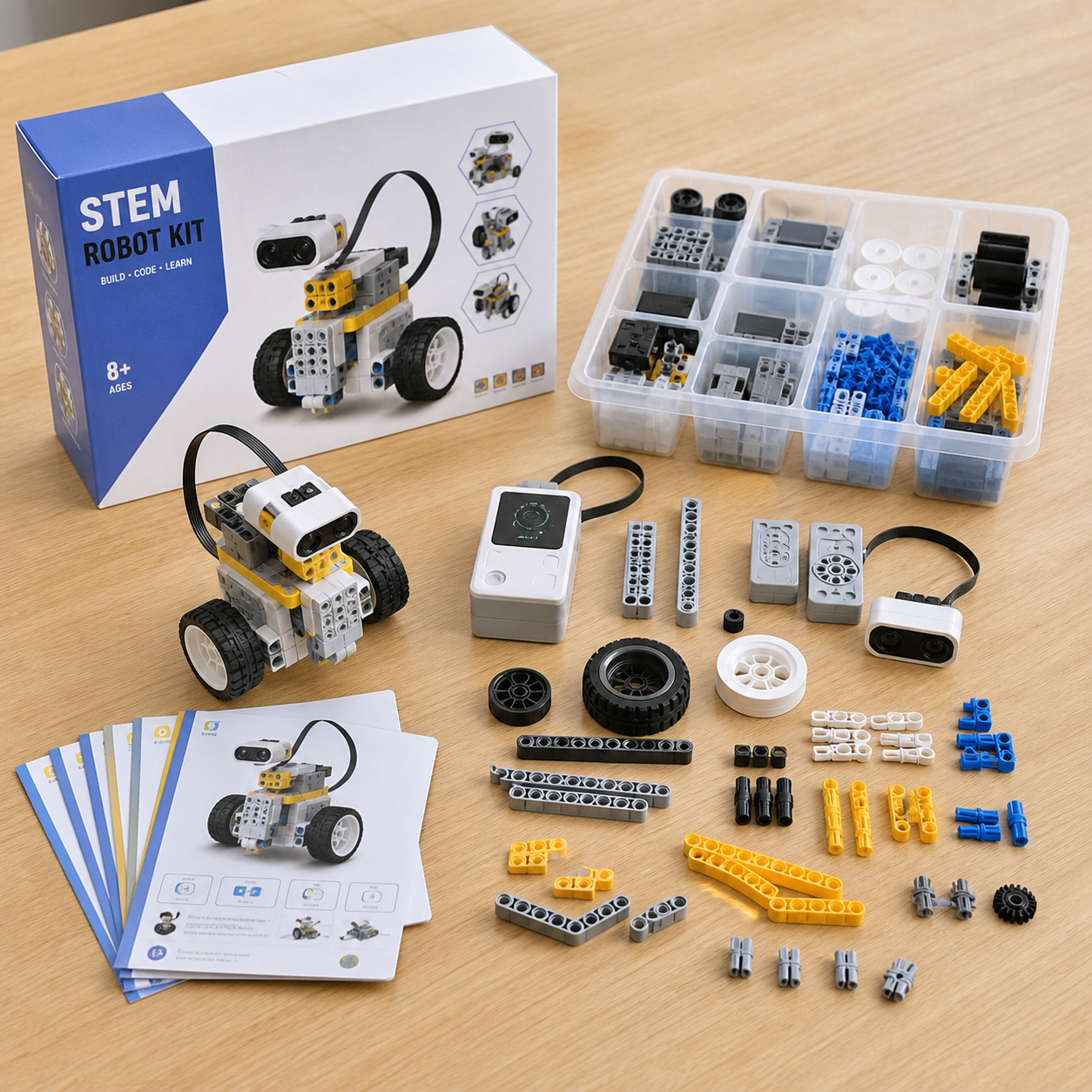
For a kids STEM robot kit, the learning task involves programming and assembly rather than specimen imaging. Related educational products can share a retail audience without sharing device requirements or safety evidence. Keep each application’s support needs distinct.
Plan a Student Microscope Image Trial
| Trial element | Record | Limit to preserve |
|---|---|---|
| Specimen | Safe reference and preparation | No extension to unknown biological samples |
| Support | Stand and approved arrangement | Handheld results may differ |
| Image | Original capture and processing | Scaling does not create new optical detail |
| Light | Setting and relevant placement | One sample does not represent every surface |
| Display | Device and output conditions | Screen size affects apparent enlargement |
| User task | Locating, focusing and saving | An expert’s image is not every learner’s result |
Use a suitable adult or supervised reviewer for setup evaluation, following the intended-use guidance. A purchasing trial should not expose children to an unapproved sample or uncertain specimen. Age grading and product-safety assessment are separate from the optical task.
Mid-Article CTA
Send Your Requirements with the intended lessons, display devices, age-related brief and quantity. Email info@kudbo.com to discuss a model-specific sample and evidence request.
Check USB Microscope Device Support
Ask which operating systems, connection paths and applications are supported. A USB connector does not establish operation on every tablet or phone. Required adapters, permissions and software should be identified in the quotation and retail instructions.
For school use, check managed-device restrictions and installation permissions before approving the product. A camera that works on a supplier’s laptop may require software the school cannot install. The supported device list should distinguish tested configurations from unreviewed possibilities.
If software is downloadable, identify the official source, version and support terms. Do not direct customers to an unknown driver site or ask them to disable security controls to make a sample work. Account, network and privacy requirements should be reviewed separately from image quality.
Evaluate Lighting and Focus as a Learning Routine
Observe how users position the approved specimen, adjust illumination and focus. Different surfaces can reflect or transmit light differently. Do not claim that one illumination arrangement works equally well for every specimen. The manual should explain suitable examples and limitations.
Record whether the stand stays in its intended position and whether controls can be adjusted without losing the view. A focus control that is technically functional may still be difficult for a beginner. Practical observations can guide instruction or design changes without claiming a measured optical defect.
For photography, show the real sample arrangement and avoid an impossible high-resolution image on the screen. An AI-generated application image should remain labeled as an illustration, not a captured microscope result. The product’s optical evidence should use actual original files from the assessed model.
Keep Safety and Specimen Advice Separate
The CPSC toy-safety business guidance provides US context for applicable products. Classification, age and destination affect the required review. A functioning camera or attractive education label does not establish compliance with every child-product requirement.
Ask which slides, containers and accessories are intended for the age-related application. Sharp, small or fragile components need appropriate assessment. Do not replace a supplied safe specimen set with unknown materials to make the demonstration look more scientific.
Avoid medical or diagnostic implications. A learning microscope should not be marketed as identifying disease, assessing food safety or analyzing unknown contaminants unless the system is appropriately designed and supported for that separate use. Educational observation is a valuable purpose without those expanded promises.
Compare Quotations on the Complete Lesson Setup
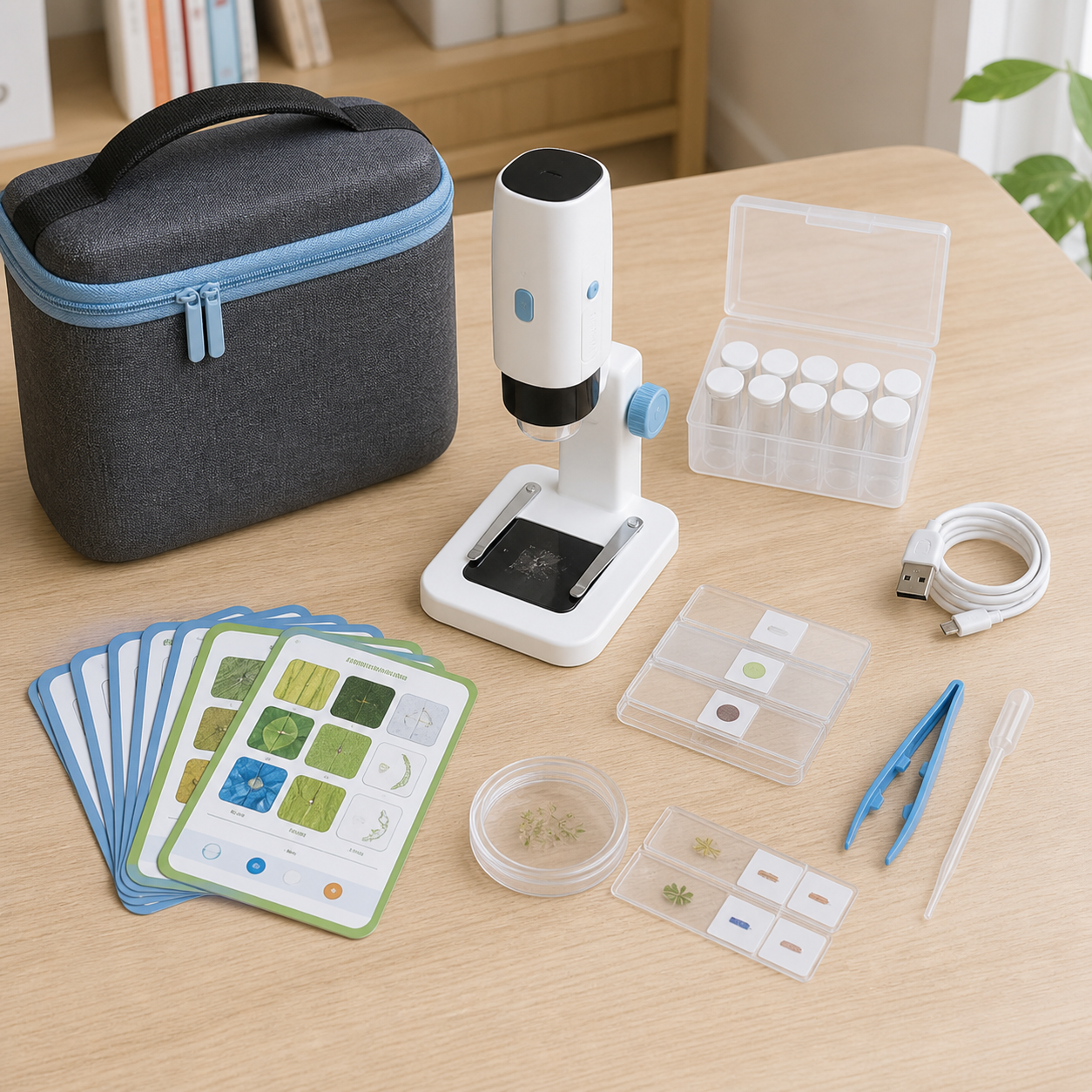
List the camera, stand, cable, supported software, specimen accessories and instructions. Identify the display device and adapters the customer must provide. A kit shown beside a tablet may not include that tablet. The retail copy should match the actual contents.
Review sample storage and component identification. A learner needs to find the parts and restore the set after use. If the carry case is optional, do not imply inclusion in the hero image without a label. Packaging can influence the first lesson even when the camera itself works.
For private labeling, preserve model identity and software compatibility information. A changed camera, lens, illumination system or firmware can affect image behavior. Require notification and review affected claims before accepting a visually similar revision as equivalent.
Use Production and Inspection Evidence Correctly
Factory testing should identify checks for camera operation, focus, illumination and component assembly where relevant. Shipment inspection can verify identifiers, completeness and agreed functional screening. A live image on a screen does not establish numerical resolution or universal software compatibility.
Keep specialist optical assessment, child-product safety review and lot conformity in separate records. The KudBo catalog helps select an education range, but the approved model and evidence determine its supported use. Do not let a general quality statement replace a configuration-specific file.
Imagine a hypothetical education buyer whose lesson needs a clear overview of a textile sample. A product with a lower headline magnification but stable placement and a useful field of view may fit better than a highly enlarged, difficult-to-focus image. This is not a KudBo project or measured comparison; it illustrates task-based selection.
Request Original Images and Their Setup
Obtain original files and the configuration used: specimen, support, distance, illumination, camera settings and software. A promotional export can hide scaling, cropping or enhancement that changes interpretation.
Compare images at a common appropriate presentation condition. Displaying one small file on a large screen and another at native size can mislead. Buyers should understand captured information, not which image fills more of the page.
Ask whether the image came from the quoted camera and optics. Similar housings can conceal different configurations. A file from another model may illustrate an application but should not support a performance claim for the selected unit.
Identify the detail learners need and the context around it. A narrow field can make orientation difficult despite a large image. A broader stable view may better suit a beginner. Choose for the activity rather than the biggest label.
Keep specimen safety in the lesson brief but separate from optical evidence. A leaf demonstration does not permit unknown biological material. A clear image does not settle age grading or accessory safety.
Do not place an invented image on a screen as if it were a real capture. Use assessed files for technical claims and labeled illustrations for context. Retain the original record when optics or lighting change, reviewing the affected task rather than relying on a familiar exterior. This also gives support a clear reference for reported image differences.
Keep the Approval Evidence Retrievable
Record the model, revision, method, conditions, observations and reviewer in the purchase file. A later reader should distinguish a supplier statement, a buyer observation and an unresolved requirement. Do not describe an illustrative photograph as a completed factory test or a real customer project. If a revised sample is proposed, identify what changed and review the affected requirement before carrying the earlier conclusion forward. This record should support the decision, not create certainty that the evaluation never established. Keep the final claim within the observed or appropriately documented scope, and make remaining limitations visible to the person approving artwork and the order.
Preserve the Lesson Reference
Keep the safe reference specimen, setup notes and original files together where appropriate. A later reviewer should be able to distinguish a change in the instrument from a change in sample preparation or lighting. An unfamiliar specimen can look different even when the camera is unchanged.
For a revised device, repeat the relevant lesson task before carrying forward old image claims. Do not rely on a supplier saying that the new sensor has more pixels. Pixel count, optical detail and usable classroom observation remain separate questions. The evidence should show what the complete supported arrangement allows learners to observe.
Related Buyer Resources
Continue with STEM Robot Kits: Classroom Coding Preparation for a complementary purchasing question. Compare the full product catalog, or browse the KudBo sourcing blog or the product sourcing topic collection for additional buyer guides. These resources provide decision context; each product still needs its own model-specific approval.
Frequently Asked Questions
Does digital zoom reveal new optical detail?
Not necessarily. It can enlarge existing image information without improving optical resolution. Ask how the feature works and keep original captures available. A larger image can aid viewing, but it should not be described as new resolved detail merely because the display looks more impressive.
Can magnification be compared without screen conditions?
Screen-based claims can be difficult to compare without display size, working distance and processing information. Request the method and complete conditions. Do not infer a universal magnification figure from a promotional screenshot or treat it as directly equivalent to every eyepiece microscope specification.
What should a useful sample trial observe?
Use a safe approved specimen and record support, lighting, focus, original image, display and user task. Assess whether the lesson can be performed clearly. A lifestyle leaf image is useful context but does not replace a calibrated resolution assessment or child-product safety review.
Does a USB connection guarantee tablet support?
No. Operating system, connection path, adapters, permissions and software matter. Request the exact supported list and evaluate the school’s managed environment where relevant. A successful supplier-laptop demonstration does not establish operation on every tablet, phone or classroom computer.
Which changes need image-quality review?
Changes to optics, camera, illumination, stand or relevant firmware can affect the task. Require notification and reassess affected claims. A matching housing or unchanged product name does not establish that a repeat order preserves the approved image, field of view or supported software behavior.
Conclusion
Kids microscope optical vs digital zoom is a meaningful distinction for educational purchasing. Define the lesson, evaluate resolved detail and field of view, and verify the actual device setup. Honest image claims and safe specimen guidance are stronger than a large magnification number without context.
Final CTA
Contact Us or email info@kudbo.com with your destination, quantity, intended lessons and display devices. KudBo can discuss available education options and sample arrangements. Confirm optical, software and age-related evidence before production approval.