Introduction
A smart pet doorbell is not merely a button that can trigger a notification. Its value depends on whether an animal can reach and understand the button, whether an owner receives a useful signal and whether the system can be reset when the household changes. Buyers need to evaluate that full loop before approving a wholesale product claim.
The KudBo smart pet doorbell belongs in an assortment that may include both connected and nonconnected pet accessories. Earlier guidance covers setup and privacy. Here the focus is behavior, mounting and alert delivery. This is a purchasing framework, not a claim that every dog can be trained on the product or that a device has achieved a measured notification-delivery rate.
A shop display often uses a human hand to press the button while a phone shows an alert. That proves little about paw access, nose contact, animal comfort, weak Wi-Fi at a back door or a tired owner's ability to respond. Define a more representative sequence, and keep animal training advice within the competence of qualified professionals.
Define the Desired Behavior Respectfully
Ask what the product is meant to communicate: a request to go outside, a request to enter, or a general attention cue. Do not market a device as reading an animal's needs. It registers an input and delivers a signal. Owners still interpret behavior and maintain a humane routine. A dog may press a button for many reasons, and some animals may not use it at all.
The American Veterinary Society of Animal Behavior's position statements support reward-based training methods. A buyer can use that as a guardrail for marketing and instructions: do not prescribe aversive methods or promise instant training. Have qualified trainers review any detailed program aimed at animals. The device should not encourage owners to ignore ordinary welfare needs while waiting for a button press.
For retail copy, distinguish “can be used as a signal in a reward-based routine” from “teaches every pet to ask to go outside.” The second is a behavioral outcome requiring evidence the hardware alone cannot provide. Clear boundaries build trust and reduce returns from households whose training process takes a different path.
Evaluate Button Reach and Mounting
Measure button force, active area, mounting height options and resistance to unintentional activation. Can it be used by a small animal without a difficult hit target? Does the mounting method work on painted walls, tile or wood as intended? A buyer should test the exact supplied adhesive or fastener on representative surfaces, within the manufacturer's instructions, before photographing a “no tools” installation.
Observe edges, cable or battery placement and how the unit can be cleaned after contact with paws or noses. A removable device that leaves sharp tape residue or exposed contacts may be a poor fit for a household routine. If an outdoor location is proposed, ask for a documented environmental rating and installation limits; an indoor demonstration does not establish weather resistance.
Mounting should allow adults to remove the unit for cleaning or battery service without dismantling a wall. Test a defined number of gentle press and removal cycles and document what changed. Do not turn an informal cycle exercise into a durability guarantee. Include the mounting parts actually supplied in the pack-out photo.
Trace the Alert Path
Draw the path from button to receiver, hub, router, phone and user. Which parts are local and which need a cloud service? If the house internet is down, does a receiver still sound? If the phone is muted, what alternative exists? A clear answer may be “the alert is unavailable,” but that limit should be understood before a seller promises continuous notification.
Test several ordinary scenarios: phone in another room, router reboot, low button battery, temporary power loss and a second household member's account. Note whether the system re-pairs automatically or needs manual action. Use a simple log of presses and observed alerts under stated conditions. Do not invent an “instant” or “100% reliable” claim from a few successful demo presses.
The FTC's IoT security guidance encourages clear data, security and support practices for connected devices. Ask who holds the account, whether multiple phones can receive alerts, how a previous owner is removed and how updates are provided. That is relevant even if the product's primary use seems playful.
Make First Use Understandable
A customer must identify the button, receiver or app, power source and pairing order without a factory representative present. Give the retail pack to a colleague unfamiliar with the sample and ask them to install it in a test space. Note where they have to guess a Wi-Fi band, hold a button for an undocumented period or permit more phone access than expected.
Avoid an app-only instruction if a local receiver is part of the product. Equally, avoid depicting a standalone chime if the actual unit requires a hub or subscription. A QR code can help but should point to a maintained destination and have a printed fallback. Check that packaging in each market accurately states platform support and included accessories.
If a pet is present in marketing imagery, keep the scene plausible and do not imply it documents a completed training program. A carefully staged product photo is not evidence of behavior. Caption images as illustrative unless they document a real, consented and appropriately supervised use case.
Mid-Article CTA
Send Your Requirements with indoor or outdoor mounting, alert destinations, power preference and order quantity. Email info@kudbo.com to request a model-specific button, receiver and app configuration review. Include the end-user training message you want to support.
Plan Service and Household Transfer
Ask for part numbers and availability for buttons, mounts, receivers and approved batteries or charging parts. A lost button should not require an entirely new subscription without warning. Test reset and re-pairing on the actual sample, with fictional account details. Record whether an old account can still send a signal or view device information after transfer.
Check data retention for alerts if the app shows a history. An owner may not expect a pet-use log to be retained indefinitely. The buyer should request current privacy documentation for the exact service and market. Factory testing can verify pairing and alert behavior in a defined setup; it cannot establish that the cloud provider will exist forever or that an animal will learn the button.
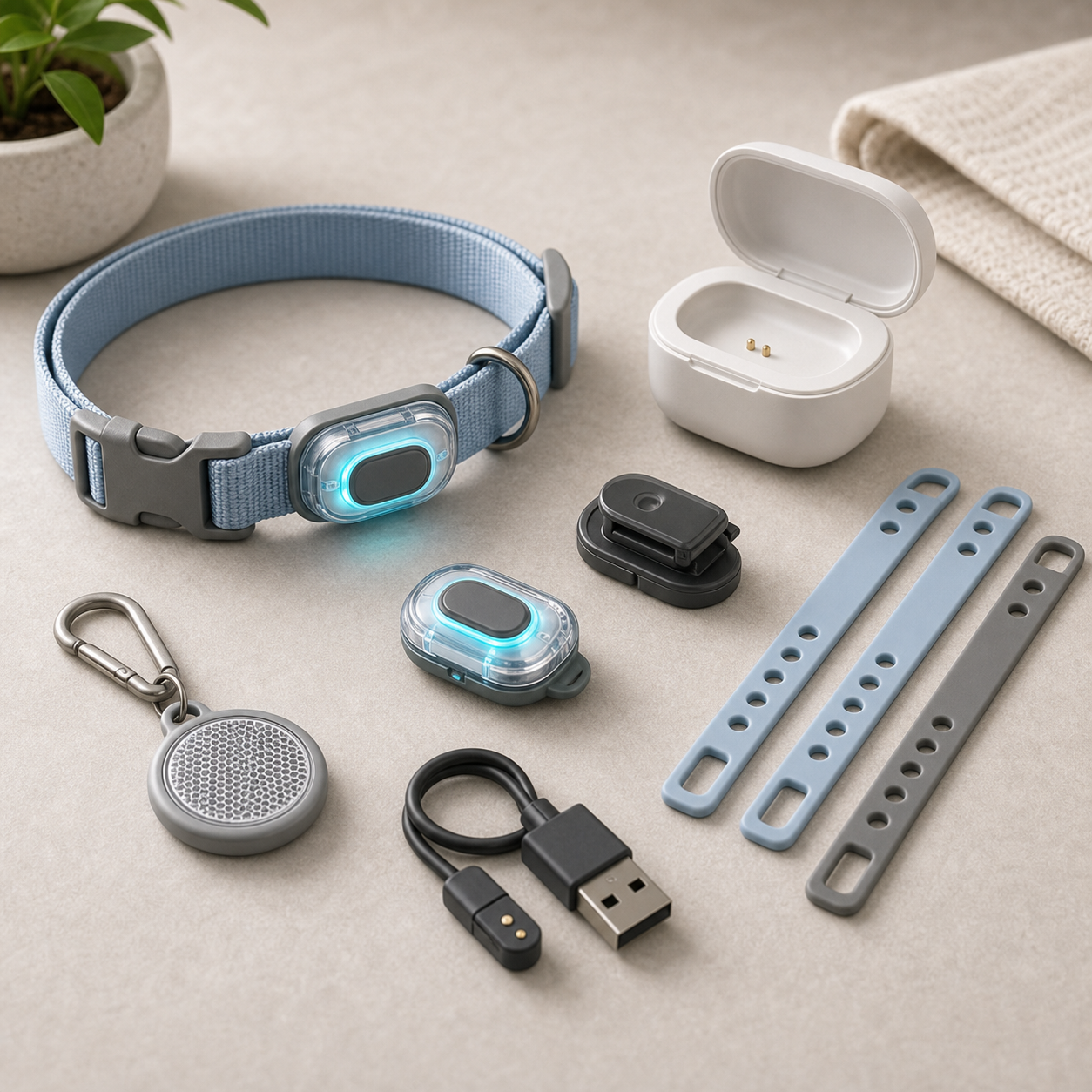
For shipment inspection, compare the produced set against an approved pack-out: button, receiver or hub, mount, power parts, instructions and labels. A supplier might change the receiver shape or app QR destination while retaining the same product name. Freeze the configuration and establish change approval before production.
| User moment | Sample question | Retail message |
|---|---|---|
| Mounting | Can the animal reach the active area? | State intended placement limits |
| Training | Is there a humane introduction path? | Avoid guaranteed behavior claims |
| Alert | Which links depend on Wi-Fi or cloud? | Explain offline behavior |
| Transfer | Can prior access be removed? | Provide reset instructions |
Design a Humane First-Week Setup
The owner should choose where the button sits, what action it is meant to request and how the household will respond consistently. A pet may touch a button for reasons unrelated to needing a door opened. Retail instructions should say that the alert records an interaction, not the animal's intention. A training guide can encourage reward-based association and supervision without promising that every animal will learn the same cue in a fixed number of days.
Check the device from both perspectives. Can a smaller animal reach and press the trigger without excessive force? Is it mounted so an excited pet cannot pull on a charging cable or knock loose a battery cover? Can a person elsewhere in the home hear or receive the alert without missing important signals? Test the actual bell, hub or app path supplied in the SKU; an online demonstration may use a different network and accessory set.
For after-sales support, write a short troubleshooting tree covering no trigger, repeated trigger, lost pairing, depleted battery and changing homes. An owner should be able to distinguish a training issue from a hardware fault. If an app keeps event history, disclose where it is stored and how the account is reset before resale. These details are part of reliable everyday use, not optional technology decoration.
Define Alert Reliability as an Observable Sequence
The alert path can fail at several points: the animal may not press the button, the button may not register contact, a hub may be out of range, the phone may suppress notifications or a household member may miss the sound. A buyer should test each link separately. Press the button by hand with a defined force and orientation, confirm the local response, then check the remote notification under the supported network and phone settings. Do not treat one successful notification in a showroom as evidence that every home will receive an alert instantly.
Use a simple event log during sample review: time of press, button indication, hub response, app response and any duplicate alert. Repeat after a power interruption and after the owner changes the phone. If the device promises offline behavior, disconnect the network intentionally and observe what still works. This proposed test helps specify the product; it is not a claim that a KudBo unit has passed it. Put the actual operating range and limitations into the user guide only after model-specific evidence is available.
Household transfer is another reliability question. A used doorbell may be returned, gifted or moved. A buyer should verify how to reset pairing and whether the next owner can activate it without the first account. A clear reset process protects both support staff and customer privacy.
Separate Training Support from Technical Support
When a customer reports “it does not work,” support should ask whether the button responds to a human press before discussing the animal's behavior. If it does, the household may need a different placement or training routine. If it does not, the question moves to power, pairing and hardware. This simple split reduces unnecessary returns and avoids blaming an animal for a defective switch. The instructions should never suggest punishment or forcing repeated presses.
The training card can describe a gradual, reward-based association: place the button where the pet already approaches the door, reward a deliberate touch, respond consistently and stop sessions before frustration. The actual pace varies by animal and owner. Do not promise a seven-day result. The American Veterinary Society of Animal Behavior resources support humane, evidence-informed training principles, but they do not validate any particular doorbell product.
For connected versions, document phone permissions and notification settings in plain language. An alert may be muted by operating-system focus modes even when the product is paired. Provide a local sound or visual fallback if the hardware includes one; otherwise, disclose dependence on the phone connection. A buyer should approve the complete alert chain for the markets and devices it intends to support.
Frequently Asked Questions
Will every dog learn to use a smart doorbell?
No. Animals differ, and hardware does not guarantee a learned behavior. A product may support a reward-based routine, but training advice and animal welfare should be reviewed by qualified professionals. Retail copy should avoid promises of instant or universal learning.
Can a pet button work without internet?
That depends on the exact system. Some configurations may have a local receiver, while app notifications can depend on the network and a service. Ask for a model-specific offline test and state precisely what remains functional during an outage.
Should the button be mounted outside?
Only if the quoted model and installation instructions support that exposure. Ask for documented environmental limits and a suitable mounting method. An indoor wall photograph or a plastic shell does not establish weather resistance.
What should a buyer test during a first setup?
Install the complete retail set without a supplier demonstration, then test a press, alert, low-power indication, Wi-Fi interruption and reset. Record the exact device and app versions. Use fictional accounts and keep animals out of initial electrical and usability checks.
Is a factory alert test enough to promise continuous service?
No. A routine test verifies a defined setup at that time. Long-term app support, network availability and household behavior require separate commitments and evidence. Avoid a permanent-service promise unless it is contractually supported.
Conclusion
A pet doorbell is an animal-to-owner communication tool, not a behavior guarantee. Select it by reachable mounting, humane instructions, observable alert paths and realistic service. The best quotation identifies the complete system and what happens when one link fails.
Final CTA
For related sourcing questions, browse all buyer guides or the Product Sourcing collection.
Explore the current KudBo product catalog when comparing this guide with available SKUs.
Contact KudBo or email info@kudbo.com with target channel, quantity, mounting environment and preferred alert method. KudBo can help organize a model-specific sample and support brief before your retail copy is finalized.